Risk Assessment
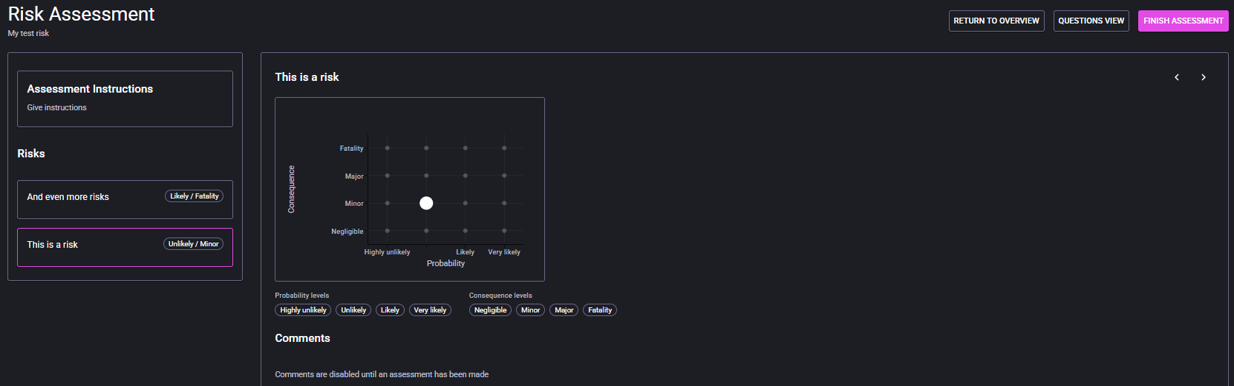
Assess each finalized risk by selecting probability and consequence based on the defined scales.
- Assessment Instructions panel for assessor guidance.
- Risks list with current selected score state.
- Risk matrix showing the active position for the selected risk.
- Probability and consequence levels shown below the matrix.
- Select a risk in the left panel.
- Choose probability and consequence in the matrix/controls.
- Add comments where clarification is needed.
- Move to next risk and repeat.
- Questions view: answer open assessment questions.
- Finish Assessment: submit the completed assessment.
- Return to overview: leave and continue later.